
Choosing one of the Best Code Editors for Beginners can make learning programming much easier, especially when you are still getting used to files, folders, syntax, extensions, and the command line. For most new programmers, Visual Studio Code is the best overall starting point because it is free, works across major desktop platforms, supports many programming languages, and can grow with you as your skills improve. However, it is not the only good choice. Thonny is particularly useful for Python beginners; Notepad++ is excellent for simple editing on Windows; Sublime Text is a fast, lightweight option; and browser-based environments can be convenient when you do not want to configure everything locally.
What Makes a Code Editor Good for a Beginner?
A beginner does not necessarily need the most powerful programming environment available. In fact, too many advanced features can make the first few weeks of learning more confusing.
A good beginner editor should make basic tasks easy: creating files, writing code, saving projects, spotting mistakes, opening a terminal, and eventually using tools such as Git. It should also have enough room for growth so that you do not need to switch editors as soon as you move beyond simple exercises.
Before choosing an editor, consider these factors:
- Ease of use: The interface should be understandable without hours of configuration.
- Language support: Choose an editor that supports the language you plan to learn.
- Extensions: Extensions can add useful features without forcing every beginner to learn complicated settings immediately.
- Debugging: A built-in or easily installed debugger becomes valuable as programs become more complicated.
- Performance: A lightweight editor may be preferable if your computer has limited memory.
- Learning resources: Good documentation and tutorials can save beginners considerable frustration.
If you are starting with Python, it can also help to understand what the language is actually used for before choosing your development setup. Our guide on What Is Python Used For? 10 Real-World Uses of Python in 2026 explains where Python is commonly applied, from automation and data work to web development and artificial intelligence.
Quick Comparison of the Best Code Editors for Beginners
| Code Editor | Best For | Beginner Friendly | Cost |
|---|---|---|---|
| Visual Studio Code | General programming and web development | Excellent | Free |
| Thonny | Learning Python | Excellent | Free |
| Notepad++ | Simple Windows coding | Very good | Free |
| Sublime Text | Fast, lightweight editing | Good | Free evaluation; paid license available |
| PyCharm | Python development | Very good | Free options available; paid features available |
| JupyterLab | Python, data analysis, and notebooks | Good | Free |
| CodePen | HTML, CSS, and JavaScript practice | Excellent | Free options available |
| GitHub Codespaces | Cloud-based coding | Good | Free allowances and paid usage options |
1. Visual Studio Code — Best Overall for Beginners
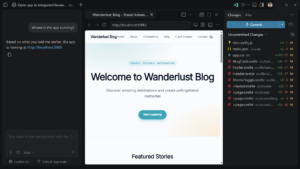
Visual Studio Code, often called VS Code, is the strongest all-around recommendation for someone who wants to learn programming and eventually work on real projects.
Microsoft describes VS Code as a free, open-source code editor that runs on Windows, macOS, and Linux. Its current feature set includes editing, debugging, testing, Git integration, extensions, language support, and optional AI-assisted development features.
You can read Microsoft’s official VS Code getting-started documentation before installing it. The documentation walks new users through installation, the interface, extensions, source control, debugging, and other core features.
For a beginner, the biggest advantage is flexibility. You can start with a nearly empty editor and gradually add only the extensions you need.
Why beginners should consider VS Code
- It supports many programming languages.
- It works on Windows, macOS, and Linux.
- It has a large extension ecosystem.
- It includes Git and debugging tools.
- It can support both beginner projects and professional development.
- It can be customized as your skills improve.
For example, someone learning HTML and CSS can start with simple web pages. Later, that same person can add JavaScript support, Git tools, Python support, database extensions, or other development tools without changing editors.
If you are comparing programming languages before choosing your first project, see our guide on Python vs JavaScript: Which Programming Language Should You Learn First in 2026?.
2. Thonny — Best for Learning Python
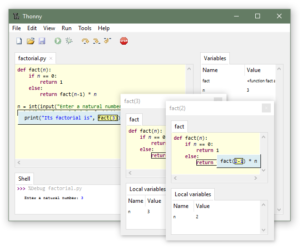
If your main goal is to learn Python rather than general software development, Thonny deserves serious consideration.
Thonny was designed specifically with beginners in mind. Its interface removes many features that can distract new programmers, while still providing useful tools such as code completion, variable inspection, package management, syntax-error highlighting, and a simple debugger.
The official Thonny website currently describes it as a Python IDE for beginners and provides installers for major desktop platforms.
This makes Thonny particularly useful for a student who has never written code before. Instead of spending the first day configuring an editor, the learner can open the program, write a short Python script, run it, and begin experimenting.
Thonny is a good choice if:
- You are completely new to programming.
- Python is your first programming language.
- You want a simple interface.
- You want a straightforward debugger.
- You do not want to spend much time configuring extensions.
For example, imagine a student learning variables and loops. Thonny can make it easier to see what happens to variables while the program runs. That immediate feedback can be more useful to a beginner than having dozens of professional development features visible from the beginning.
If you have not installed Python yet, follow our beginner-friendly guide: How to Install Python on Windows: Complete Beginner’s Guide.
3. Notepad++ — Best Lightweight Editor for Windows
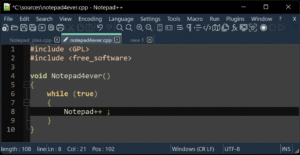
Notepad++ is a practical choice for Windows users who want something simple, fast, and less demanding than a full development environment.
It can be useful for editing HTML, CSS, JavaScript, configuration files, scripts, and many other types of text-based files.
Its main attraction for beginners is simplicity. You can open the program, create a file, write code, save it, and continue learning without first understanding a complicated project-management system.
Visit the official Notepad++ website if you want to check the current features and download options.
Choose Notepad++ when:
- You use Windows.
- Your computer has limited resources.
- You want a lightweight editor.
- You mainly need to edit text or simple code files.
- You do not need a complete IDE.
One limitation is that beginners who eventually build larger applications may find themselves wanting more integrated development features. At that stage, moving to VS Code or a dedicated IDE can make sense.
4. Sublime Text — Best for Speed and Simplicity
Sublime Text is another lightweight editor worth considering. It is known for a clean interface, fast performance, keyboard-driven workflow, and broad language support.
For a beginner, Sublime Text can provide a less complicated environment than a full IDE. It is especially appealing if you prefer an uncluttered workspace.
The official Sublime Text website provides current information about supported platforms, features, and licensing.
One thing to remember is that a lightweight editor and an IDE serve different purposes. Sublime Text focuses primarily on editing, while a full IDE may combine editing, debugging, testing, project management, and other development features.
5. PyCharm — Best Dedicated Python Development Environment
PyCharm is worth considering when you want to move from simple Python exercises into larger Python projects.
JetBrains provides features such as intelligent code completion, debugging, testing, refactoring, database tools, and support for Python development workflows.
You can review the official PyCharm feature page to see what is currently included.
For a beginner, PyCharm can initially feel more substantial than necessary. However, that extra functionality becomes useful when projects contain multiple files, dependencies, tests, databases, and larger amounts of code.
PyCharm may be the better choice if you want to:
- Focus heavily on Python.
- Build larger Python applications.
- Learn debugging and testing.
- Work with databases.
- Develop professional Python projects.
JetBrains also provides a built-in Features Trainer in current versions of PyCharm, allowing users to learn common IDE tasks through interactive lessons.
6. JupyterLab — Best for Data Science and Interactive Python
JupyterLab is different from traditional code editors because it is built around interactive computing and notebooks.
This makes it particularly useful for learners interested in data analysis, statistics, scientific computing, visualization, and machine learning.
A notebook allows you to combine code, explanations, output, charts, and other material in one document. That can make experimentation easier because you can run small sections of code and immediately inspect the results.
If your goal is to explore Python for data work rather than immediately build conventional software applications, JupyterLab may be more appropriate than a basic text editor.
You can also combine this path with our guide to Best AI Tools for Developers in 2026: 10 Tools to Code Faster & Smarter once you become comfortable with fundamental programming concepts.
7. CodePen — Best for Beginners Learning Web Development
CodePen takes a different approach because it allows developers to experiment with front-end code in a browser.
This can be particularly convenient for beginners learning HTML, CSS, and JavaScript. Instead of installing a development environment before writing your first webpage, you can work with code and see the result quickly.
This instant feedback is useful when learning basic concepts such as selectors, colors, spacing, buttons, animations, and JavaScript interactions.
For example, a beginner could create a simple button with HTML and CSS, then add JavaScript to make the button respond when clicked. The ability to experiment quickly can make the learning process feel less intimidating.
Once you understand the basics, you can move your projects into a local editor such as VS Code.
If you want to understand where JavaScript fits into modern development, read What Is JavaScript Used For? 12 Real-World Uses in 2026.
8. GitHub Codespaces — Best for Cloud-Based Coding
GitHub Codespaces is useful for learners who want a development environment that runs in the cloud.
Instead of relying entirely on the software installed on your computer, you can use a configured development environment through the browser or compatible development tools.
This can be helpful when working on GitHub projects, following programming exercises, or using a computer that does not have enough local development software installed.
However, beginners should understand that cloud development can introduce additional concepts such as repositories, development containers, and cloud resource usage. For someone learning their first few lines of code, a local editor such as VS Code or Thonny may be easier.
Which Code Editor Should a Complete Beginner Choose?
There is no single editor that is perfect for everyone. The best choice depends on what you are learning and how powerful your computer is.
| If You Want To… | Start With… |
|---|---|
| Learn general programming | Visual Studio Code |
| Learn Python from scratch | Thonny |
| Learn Python professionally | VS Code or PyCharm |
| Learn HTML and CSS | VS Code or CodePen |
| Learn JavaScript | VS Code |
| Edit simple code on Windows | Notepad++ |
| Use a lightweight editor | Sublime Text |
| Explore data science | JupyterLab |
How to Choose Without Getting Overwhelmed
One common mistake beginners make is spending too much time comparing tools instead of learning programming.
You do not need to install five editors and test every extension. Pick one that matches your immediate goal and use it consistently for a few weeks.
What to do
- Choose one programming language. Python is a reasonable starting point for many beginners.
- Install one editor. Avoid installing several editors just because other developers recommend them.
- Complete a small project. Build something simple instead of only watching tutorials.
- Learn the editor gradually. Start with opening files, saving projects, running code, and using the terminal.
- Add extensions only when necessary. Too many extensions can make the editor harder to understand.
- Learn Git after the basics. Version control becomes increasingly useful as your projects grow.
The official Python resources are also worth bookmarking. Python.org provides a Python beginner guide and links to tutorials, installation resources, documentation, and beginner examples.
A Realistic Beginner Setup on The Best Code Editors for Beginners
Consider someone named Daniel who has never programmed before and wants to eventually become a software developer.
Daniel could start with Python and use Thonny for his first few weeks. He learns variables, conditions, loops, functions, lists, and basic file handling. Once he becomes comfortable with those concepts, he can move to VS Code and learn how professional development environments work.
After that, Daniel could learn Git, build a small application, publish the project on GitHub, and eventually explore frameworks or other programming languages.
The important point is that Daniel does not need the “perfect” editor on day one. The editor is simply a tool that supports the learning process.
Code Editor vs IDE: What Is the Difference?
These terms are sometimes used interchangeably, but there is a practical difference.
A code editor primarily helps you write and organize source code. An integrated development environment (IDE) usually combines an editor with additional development tools such as debugging, testing, project management, code analysis, and other features.
VS Code sits somewhere between the traditional idea of a lightweight editor and a highly integrated development environment because its functionality can be expanded considerably through extensions.
PyCharm, on the other hand, is designed specifically as a more comprehensive Python development environment.
Should Beginners Use AI Coding Features?
Modern editors increasingly include AI-assisted programming features. These can help explain errors, suggest code, generate boilerplate, or assist with repetitive tasks.
They can be useful, but beginners should avoid depending on them for every line of code.
If an AI tool generates a function that you cannot explain, you have gained code without necessarily gaining the underlying skill. A better approach is to use AI as a learning assistant: ask it to explain an error, compare two approaches, or walk through unfamiliar code.
For developers who are ready to explore AI-assisted programming, our article on How to Use ChatGPT for Programming covers practical ways to use AI without treating it as a replacement for understanding code.
Best Code Editors for Beginners: Final Recommendation
For most people, Visual Studio Code is the best overall choice among the Best Code Editors for Beginners because it combines a relatively approachable interface with enough functionality to support serious programming later. It is especially useful if you want to explore Python, JavaScript, web development, or several languages over time.
However, beginners should not feel pressured to use VS Code immediately. If you are learning Python and want the simplest possible environment, Thonny may be the better starting point. Windows users who only need lightweight editing may prefer Notepad++, while people interested in data analysis may benefit more from JupyterLab.
The right editor is ultimately the one that allows you to spend more time learning, writing, testing, and improving code and less time fighting with your development environment.
Frequently Asked Questions About The Best Code Editors for Beginners
1. What is the best code editor for beginners?
Visual Studio Code is the best overall choice for most beginners because it is free, supports many languages, includes useful development features, and can grow with your skills. However, Thonny may be easier if your main goal is learning Python from scratch.
2. Is VS Code good for someone who has never coded before?
Yes. VS Code can be used by complete beginners, although its many features may initially look overwhelming. Start with the basic editor, learn how to create and run files, and add extensions only when you need them.
3. Is Thonny better than VS Code for Python beginners?
Thonny can be easier for someone taking their first steps in Python because it was designed specifically for beginners. VS Code becomes more attractive when you want a broader development environment and plan to work across multiple languages or larger projects.
4. Is Notepad++ good for programming?
Yes. Notepad++ is useful for lightweight code and text editing, particularly on Windows. However, developers working on larger applications may eventually prefer an editor or IDE with more integrated development features.
5. Should I use an IDE or code editor?
Either can work. Beginners learning basic programming may prefer a simple editor because there are fewer distractions. An IDE becomes increasingly useful when you need integrated debugging, testing, project management, database tools, and other development features.
6. Can I learn programming without installing a code editor?
Yes. Browser-based tools can let you write and execute code without installing a traditional editor. However, learning to work with a local development environment is useful if you eventually want to build and manage larger projects.
7. Which code editor is best for Python?
Thonny is excellent for beginners, while VS Code and PyCharm are stronger choices as Python projects become more advanced. JupyterLab is particularly useful for interactive Python work, data analysis, and scientific computing.
8. Do I need to pay for a code editor?
No. Several excellent options are free, including Visual Studio Code, Thonny, Notepad++, and JupyterLab. Beginners can learn programming effectively without purchasing an expensive development environment.
Final Thoughts On The Best Code Editors for Beginners
The best code editor is not necessarily the one with the longest feature list. It is the one that fits your current learning goal without creating unnecessary obstacles.
Start small. If you want a flexible editor that can follow you from beginner exercises to real projects, choose VS Code. If Python is your first language and you want a simpler experience, try Thonny. If you only need lightweight Windows editing, Notepad++ is worth considering.
Most importantly, do not spend weeks switching between editors. Pick one, learn the basics, and start building. Your programming ability will come from solving problems and creating projects—not from finding a perfect editor.
1 thought on “Best Code Editors for Beginners: 8 Easy Options to Start Coding”