
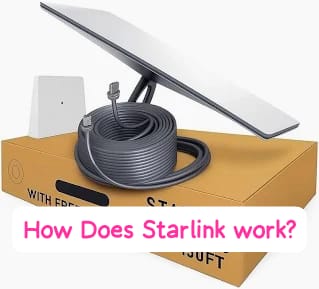
If you have ever wondered how Starlink works, the basic idea is simple: Starlink uses a network of low-Earth-orbit satellites to connect a Starlink terminal to the internet. Data travels from your device to the terminal, up to a Starlink satellite, through other satellites and ground infrastructure when needed, and back to your router and device.
Because Starlink satellites orbit much closer to Earth than traditional satellite-internet systems, they can provide lower latency. The network also uses phased-array antennas and optical links between satellites to move data through both space and ground infrastructure.
The easiest way to understand the system is to follow how a single piece of data travels from your device to the internet and back.
How Does Starlink Work in Simple Terms?
Think of Starlink as an internet network with much of its infrastructure in space. When you open a website, your request travels from your device through the Wi-Fi router to the Starlink terminal, then to a Starlink satellite and through the Starlink network before reaching the internet. The response follows the route back to your device.
The simplified journey is:
Laptop or phone → Wi-Fi router → Starlink terminal → satellite → Starlink network → ground infrastructure or another satellite → internet → terminal → router → device.
The exact route can vary because Starlink can use ground connections and satellite-to-satellite optical links. It is more than a satellite pointed at your home; it is a network of satellites, terminals, antennas, software, ground infrastructure, and networking equipment.
Why Does Starlink Use Low-Earth Orbit?
Starlink uses low-Earth orbit (LEO), keeping its satellites much closer to Earth than traditional geostationary satellites. NASA defines LEO as an Earth-centered orbit below about 2,000 kilometres, while geostationary satellites operate roughly 35,786 kilometres above Earth.
Being closer reduces the distance data must travel, helping Starlink achieve lower latency than traditional high-orbit satellite internet. This can make activities such as video calls, web browsing, gaming, cloud applications, and streaming more responsive.
However, Starlink does not always outperform fiber. Fiber can offer lower latency, greater consistency, and higher capacity. Starlink’s major advantage is providing broadband access where running physical internet cables to customers may be difficult or impractical.
The Starlink System Has More Than One Important Part
One reason people find how does Starlink work confusing is that they often focus only on the dish.
The dish is important, but it is only one component of a much larger system.
1. The Starlink User Terminal
The equipment installed at the customer’s property is the user terminal. It communicates with satellites passing overhead.
Modern Starlink terminals use electronic phased-array technology rather than behaving like a traditional fixed satellite-TV dish. Starlink’s published specifications identify its antenna as an electronic phased array.
This is important because Starlink satellites are moving constantly relative to someone standing on Earth.
The terminal therefore needs to establish and maintain communication as satellites move across the visible sky.
2. Starlink Satellites
The satellites provide the space-based portion of the network.
They contain communications equipment, antennas, power systems, navigation equipment, and propulsion systems.
Starlink says its satellites use phased-array antennas for broadband communication and argon propulsion systems for orbital maneuvers and eventual deorbiting.
Newer satellite generations are designed to carry considerably more capacity than earlier versions.
For example, Starlink’s V3 satellite information describes a design capable of up to 1 Tbps of downlink capacity and 160 Gbps of uplink capacity, along with upgraded phased-array antennas and six high-capacity space lasers.
3. The Router
After the Starlink terminal receives the connection, the router makes that connection useful inside your home.
Your smartphone, computer, smart TV, tablet, and other devices normally connect to the router using Wi-Fi.
From the user’s perspective, this part feels much like ordinary broadband.
You connect your laptop to Wi-Fi, open a website, and the complicated satellite communication happens in the background.
4. Ground Infrastructure
Starlink does not operate entirely in space.
Ground infrastructure is an important part of connecting satellite traffic with the wider internet.
Depending on the route, data can travel between satellites and terrestrial facilities before reaching the destination network or service.
This is why Starlink should be thought of as a hybrid space-and-ground network rather than an isolated satellite system.
What Happens When You Open Google or YouTube?
When your laptop is connected to Starlink Wi-Fi and you open a website, the request travels from your device to the router, then to the Starlink terminal and a satellite. Starlink’s network routes the traffic through satellite and terrestrial infrastructure before reaching the destination server. The response then travels back to your terminal, router, and device.
The route can use ground infrastructure, satellite-to-satellite links, or a combination of both. These processes happen quickly enough that normal browsing feels much like using a traditional internet connection.
How Do Starlink Satellites Communicate With Each Other?
Some Starlink satellites use optical inter-satellite links, often called space lasers, to communicate directly with other satellites. Starlink says these links can operate at up to 200 Gbps, creating a global network mesh.
Starlink’s V3 satellites are designed with six 400-gigabit optical links per satellite. These connections allow traffic to move between satellites before reaching ground-based internet infrastructure, providing additional routing options.
Why Does Starlink Need Thousands of Satellites?
A single satellite cannot provide continuous coverage because it constantly moves around Earth. Starlink therefore uses a large constellation so another satellite can take over as one moves out of position.
A larger constellation also increases network capacity, helping Starlink serve more customers and distribute traffic across available satellites, especially in busy areas.
Starlink’s Network Is Still Expanding in 2026
Starlink continues to evolve through new satellites, upgraded hardware, orbital changes, and regulatory approvals. In January 2026, the U.S. Federal Communications Commission authorized SpaceX to deploy another 7,500 Gen2 Starlink satellites, bringing the authorized Gen2 constellation to 15,000.
However, authorized does not mean launched. Regulatory approval allows SpaceX to deploy satellites under specified conditions, but those spacecraft may not yet be in orbit or providing service.
Does Starlink Need a Clear View of the Sky?
Yes. The Starlink terminal needs a suitable view of the sky to communicate with moving satellites. Trees, buildings, roofs, poles, and other obstructions can interfere with the connection.
Before permanently installing the terminal, use the Starlink app and official installation guidance to check the proposed location. A clearer view generally provides a more reliable connection.
Can Weather Affect Starlink?
Yes. Severe weather, particularly heavy precipitation and storms, can temporarily affect satellite communication. Ordinary clouds do not automatically mean Starlink will stop working.
If the connection becomes unreliable during a severe storm but returns afterward, weather may be responsible. If problems continue in clear weather, check for obstructions, equipment or cable issues, Wi-Fi problems, and other local network conditions.
How Fast Is Starlink?
There is no single Starlink speed for every customer. Performance depends on the service plan, location, network demand, equipment, satellite availability, and traffic routing. Starlink provides expected performance ranges rather than guaranteeing one fixed speed.
If your connection seems slow, test multiple devices at different times. For example, slow speeds at 8 p.m. but normal performance at 10 a.m. may indicate network demand. If only one device is affected, the problem may be with that device rather than Starlink.
For device-related internet problems, see our guide on how to increase internet speed.
Is Starlink Good for Gaming?
Yes, Starlink can support online gaming, video calls, and streaming, but performance depends on latency and connection stability.
For casual gaming, Starlink can be a practical option where traditional broadband is limited. However, competitive gamers may prefer fiber when available because it can provide lower and more consistent latency.
The best choice depends on the broadband options available at your location, not simply whether Starlink supports gaming.
Starlink vs Traditional Satellite Internet
| Feature | Traditional Geostationary Satellite Internet | Starlink |
|---|---|---|
| Primary orbital approach | Geostationary orbit | Low Earth orbit |
| Approximate satellite altitude | 35,786 km | Hundreds of kilometres, depending on orbital shell |
| Satellite movement relative to user | Appears fixed over one region | Satellites continuously move relative to users |
| Number of satellites | Generally much smaller constellation | Large satellite constellation |
| Inter-satellite optical links | Not the defining feature | Used across Starlink’s constellation |
| Latency potential | Higher because of orbital distance | Lower potential because satellites are much closer to Earth |
The fundamental advantage of Starlink’s approach is the combination of low orbit and a large network of satellites.
NASA explains that satellites in low Earth orbit are much closer to Earth than objects in higher orbits and move around the planet relatively quickly.
What Makes Starlink Different From Fiber?
Fiber and Starlink both provide internet access, but they use different infrastructure. Fiber sends data through physical optical cables, while Starlink uses radio links between the customer terminal and satellites.
Where fiber is available, it can offer very low latency and consistent performance. However, extending cables to remote properties can be expensive or impractical. Starlink can provide broadband without waiting for terrestrial infrastructure to reach the location.
A Realistic Example of How Starlink Helps a Remote Household
Imagine a family outside a major city with unreliable mobile service and no fiber connection. They install Starlink where it has a clear view of the sky, allowing the terminal to communicate with satellites and provide Wi-Fi through the router.
The family can work remotely, attend online classes, stream video, and use their phones. Actual performance depends on local network capacity, weather, obstructions, equipment, and Wi-Fi coverage, but the key advantage is broadband access without a physical cable reaching the property.
What Happens When a Starlink Satellite Moves Away?
Starlink satellites constantly move around Earth, so one satellite cannot remain above a customer’s home. Instead, the constellation uses multiple satellites passing through different parts of the sky.
The user terminal and Starlink network coordinate connections as satellites become available. This is somewhat similar to a mobile phone switching between cellular coverage areas, except Starlink uses orbiting satellites rather than ground-based towers.
Why Starlink Can Work in Remote Locations
Traditional broadband usually requires infrastructure such as:
- Fiber-optic or coaxial cables
- Telephone networks
- Fixed wireless equipment
- Cellular towers
Building this infrastructure in sparsely populated areas can be difficult. Starlink moves much of the network into orbit, so customers only need the required ground equipment rather than a dedicated terrestrial broadband cable to their property.
What Are Starlink Space Lasers Used For?
Starlink’s optical inter-satellite links allow satellites to communicate using light instead of relying entirely on ground stations. Data can therefore travel between multiple satellites before reaching a terrestrial connection.
This is especially useful over oceans and areas with limited ground infrastructure. Starlink describes the system as a global mesh, while its V3 satellites are designed with six high-capacity optical links to further increase this capability.
What Can Cause Starlink to Perform Poorly?
Even though the underlying technology is sophisticated, the customer experience can still be affected by ordinary practical problems.
- Obstructions: Trees, buildings, and other objects can interfere with the terminal’s view of the sky.
- Severe weather: Heavy precipitation can affect satellite communication.
- Network congestion: High demand can influence performance.
- Weak Wi-Fi: A good Starlink connection can still feel slow if Wi-Fi coverage inside the home is poor.
- Equipment problems: Power, cables, hardware, or installation problems can interrupt service.
- Device problems: Sometimes only the laptop or phone is experiencing the problem.
This is why troubleshooting should begin with identifying whether the problem affects the Starlink connection itself or only one device.
What to Do If Starlink Internet Is Slow
If your Starlink connection is suddenly slower than usual, do not immediately assume that the satellite system is failing.
- Check whether every device is affected.
- Run a speed test close to the Starlink router.
- Check the Starlink app for alerts or obstruction information.
- Inspect the cable connections.
- Look for new physical obstructions around the terminal.
- Compare performance at different times of day.
- Check whether severe weather is occurring.
- Restart the equipment according to Starlink’s current support instructions.
If only a Windows laptop is affected, the problem could be unrelated to Starlink. For example, a Bluetooth, network, or Windows service problem can make a device appear to have poor connectivity.
Our guide on how to restart the Bluetooth service in Windows can help when Bluetooth-related connectivity is the issue.
Does Starlink Work During Rain?
Yes, but severe weather can affect satellite communication. A brief interruption during an intense storm does not necessarily mean the equipment is faulty. Repeated interruptions during normal weather may indicate obstructions, installation problems, equipment issues, or other network conditions.
Does Starlink Work Without a Clear View of the Sky?
Not reliably. The terminal needs sufficient sky visibility to communicate with moving satellites. Trees, buildings, and other persistent obstructions can cause interruptions.
When installing Starlink, choose the location based on its view of the sky, not simply its proximity to the router or power outlet.
How Much Power Does Starlink Use?
Power consumption varies by hardware and conditions. One current Starlink terminal specification lists average consumption of approximately 75–100 watts.
If you plan to use Starlink with solar or battery power, check the specifications for your exact hardware rather than relying on figures from older models.
Is Starlink Worth It in 2026?
Starlink can be worthwhile if:
- Fiber is unavailable.
- Fixed broadband is unreliable.
- Mobile internet is inconsistent.
- You live in a remote area.
- You work or study online.
- Conventional broadband infrastructure is limited.
If reliable, affordable fiber is already available, it may provide better latency and consistency. The best comparison is Starlink against the actual internet options available at your location.
Starlink and Mobile Connectivity
Starlink is also expanding beyond traditional home and business terminals. The FCC’s January 2026 authorization includes provisions related to mobile satellite service and supplemental coverage.
However, traditional terminal-based Starlink broadband and newer direct-to-device or mobile features are different services with different technical requirements.
Frequently Asked Questions About How Starlink work
1. How does Starlink work without fiber cables reaching my home?
A Starlink terminal communicates with satellites in low Earth orbit. Traffic then moves through the Starlink network and terrestrial internet infrastructure before returning to your terminal.
2. How does Starlink work when satellites are constantly moving?
Starlink uses a large constellation. As satellites move across the sky, the network coordinates communication with available satellites rather than relying on one stationary spacecraft.
3. How high are Starlink satellites?
Starlink operates satellites at different LEO altitudes. The FCC’s 2026 authorization includes orbital shells between approximately 340 and 485 kilometres.
4. Does Starlink use lasers?
Yes. Starlink uses optical inter-satellite links, commonly called space lasers. Starlink says current technology supports links of up to 200 Gbps, while its V3 design uses higher-capacity optical links.
5. Can Starlink work in rural areas?
Yes. Providing broadband where terrestrial infrastructure is limited is one of Starlink’s main advantages.
6. Does Starlink need a clear view of the sky?
Yes. Trees, buildings, and other obstructions can interfere with communication, making installation location important.
7. Is Starlink faster than fiber?
Not necessarily. Fiber can provide excellent speed, capacity, and latency. Starlink’s main advantage is providing broadband where suitable terrestrial alternatives are unavailable.
8. Can Starlink be used for video calls?
Yes. Starlink supports applications such as video calls, streaming, and online gaming, although performance depends on network conditions, equipment, latency, and Wi-Fi quality.
9. Can rain interrupt Starlink?
Severe precipitation can affect satellite communication. Occasional weather-related interruptions do not necessarily mean faulty equipment.
10. What should I check if Starlink is slow?
Check whether all devices are affected, look for obstructions, inspect cables, test near the router, check the Starlink app for alerts, and compare speeds at different times.
Final Thoughts on How Does Starlink Work?
How does Starlink work? Starlink combines low-Earth-orbit satellites, customer terminals, phased-array antennas, routers, ground infrastructure, and satellite-to-satellite optical links. Your device sends data through the terminal to the satellite network, which routes it toward the internet before returning the response to your device.
Unlike traditional satellite internet, Starlink uses a large LEO constellation to provide broadband with lower latency. While reliable fiber may be better where available, Starlink can be a valuable option for remote homes, businesses, and locations with limited terrestrial broadband.
The network continues to expand in 2026 through newer satellites, increased capacity, improved optical links, and additional regulatory approvals.
In simple terms, Starlink is a broadband network in space connected to the internet on Earth, with your terminal acting as the bridge.
If your internet problem is actually caused by your laptop, see our guide on how to fix blue screen errors on a laptop.
1 thought on “How Does Starlink Work? How Starlink Internet Works”