TikTok Videos Not Loading? Try These Fixes

TikTok Videos Not Loading

If you are dealing with TikTok Videos Not Loading, start by checking your internet connection, then close and reopen TikTok, restart your phone, update the app, and clear TikTok’s cache. If videos still refuse to play, switch between Wi-Fi and mobile data, check whether TikTok is experiencing an outage, disable a VPN or restrictive network … Read more

Samsung One UI 9 Beta: Eligible Devices, Features and How to Get It

Samsung One UI 9 Beta

If you are looking for the Samsung One UI 9 beta, check your phone’s software update before downloading anything. Samsung launched the beta programme in May 2026 for selected Galaxy devices and expanded it in September. One UI 9 is based on Android 17 and introduces changes to personalisation, accessibility, creative tools and security. Samsung … Read more

How to Transfer Data From Samsung to Samsung Galaxy Using Smart Switch

How to Transfer Data From Samsung to Samsung Galaxy Using Smart Switch

If you want to know how to transfer data from Samsung to Samsung, Samsung Smart Switch is one of the easiest ways to move supported information to a new Galaxy phone. Depending on your devices, it can transfer contacts, messages, photos, videos, documents, call history, compatible apps, Wi-Fi information, home-screen information and selected settings. You … Read more

Samsung Camera Not Working? How to Diagnose App, Permission, Software, & Others

Samsung Camera Not Working

If your Samsung Camera Not Working problem has stopped you from taking photos or recording videos, do not assume the camera itself is damaged. A Samsung Galaxy camera can fail because of an app glitch, blocked permissions, another app using the camera, corrupted temporary data, low storage, outdated software, or a hardware problem. Start with … Read more

How to Improve Samsung Battery Life: Diagnose Drain and Extend Battery Runtime

How to Improve Samsung Battery Life

If you want to know how to improve Samsung battery life, start by checking what is actually using power instead of changing every setting on your Galaxy phone. Review battery usage, reduce unnecessary screen brightness, put rarely used apps to sleep, use Power saving when needed, and keep the phone away from excessive heat. If … Read more

Samsung Galaxy Boot Loop: How to Fix It Safely

Samsung Galaxy Boot Loop

If your Samsung Galaxy keeps showing the Samsung logo, switching off, and restarting without reaching the home screen, your phone may be stuck in a boot loop. This can happen because of a temporary software error, a problematic app, an interrupted update, a power problem, or hardware damage. It does not automatically mean your phone … Read more

PayPal Payment Failed Or Declined? Causes, Checks, and Safe Next Steps

PayPal Payment Failed Or Declined

If you see a PayPal payment failed or declined message when buying something online, sending money, or completing checkout, the cause may be your bank, card, PayPal account, payment method, or the merchant’s checkout. Start by reading the exact error message, checking your PayPal Activity, and reviewing your payment method. PayPal identifies bank or card declines, … Read more

Samsung Smart Hub Not Working? How to Fix It

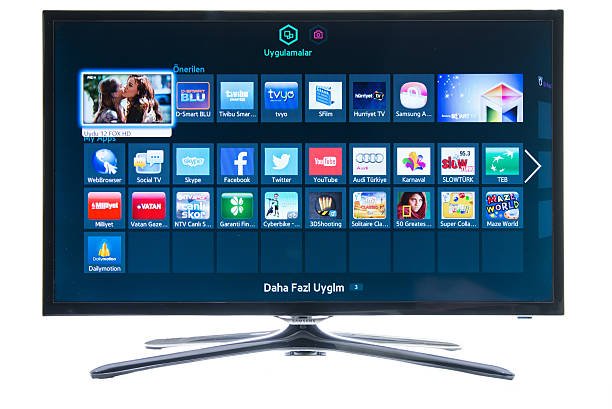
If Samsung Smart Hub is not working, your TV may fail to open the Home screen, load apps, connect to Samsung services, or display the Apps section correctly. The problem can come from an unstable internet connection, outdated TV software, a temporary system glitch, or an issue with Smart Hub itself. Start by restarting your … Read more

Samsung apps not working on TV? Fix Loading, Crashing, and App Errors

Samsung apps not working on TV

If Samsung apps are not working on your TV, the right fix depends on whether one app is failing or several apps have stopped working. A single app that freezes or refuses to open may have an app-specific problem, while multiple failing apps can point to an internet connection, TV software, or Smart Hub issue. … Read more

Instagram Not Loading? Fix Photos, Stories, and Reels

Instagram Not Loading

If Instagram is not loading photos, videos, Stories, or Reels, the cause may be your internet connection, the Instagram app, your phone settings, or a temporary problem with Instagram itself. Start by switching between Wi-Fi and mobile data, checking whether other websites work, and reopening Instagram. If the problem continues, update the app, clear its … Read more